
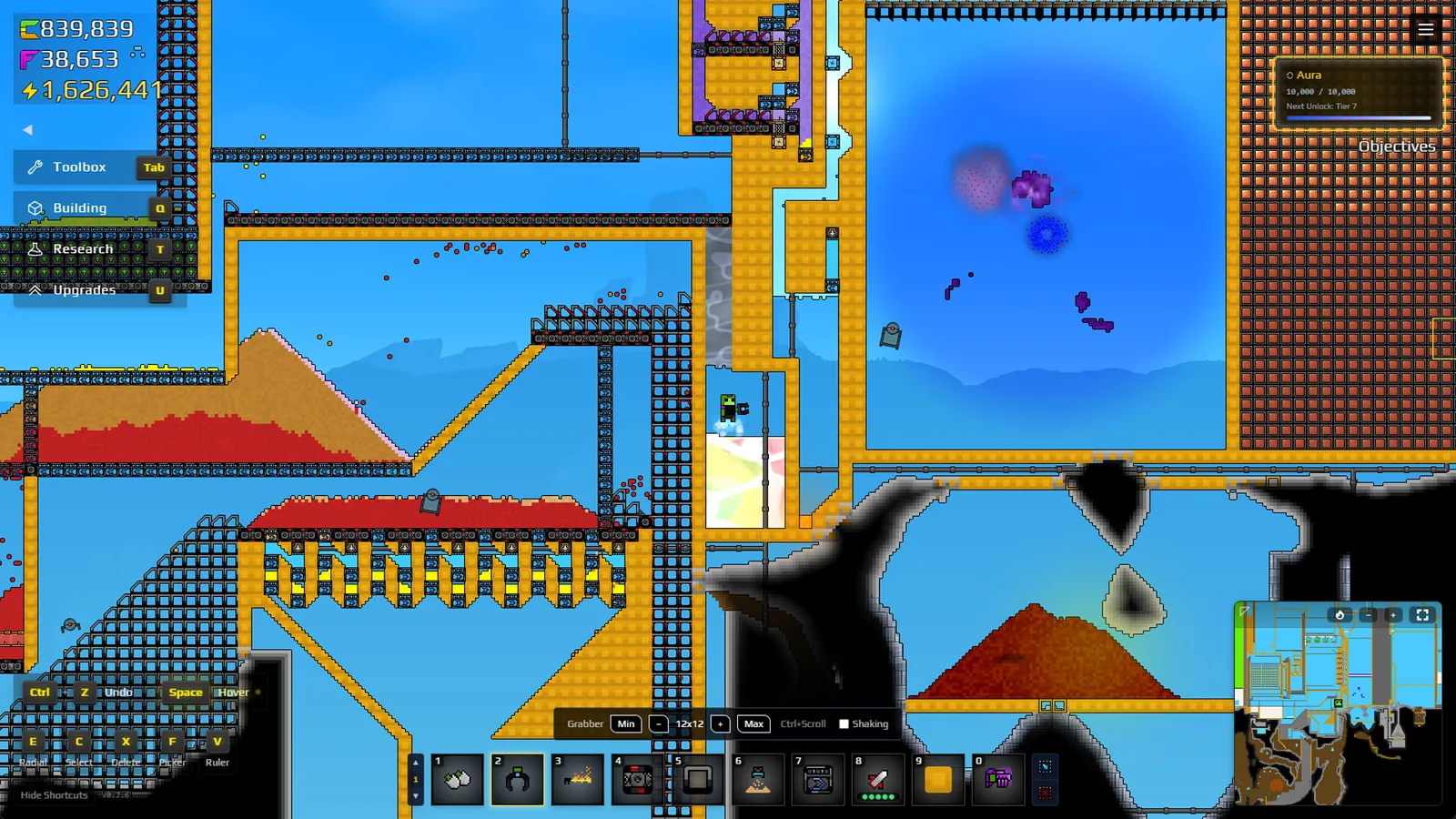
For a vertical Filter, use the Wall Mode placement guide; it covers the reported R key, the placement preview, and wall-specific routing checks.
Set up both material paths first
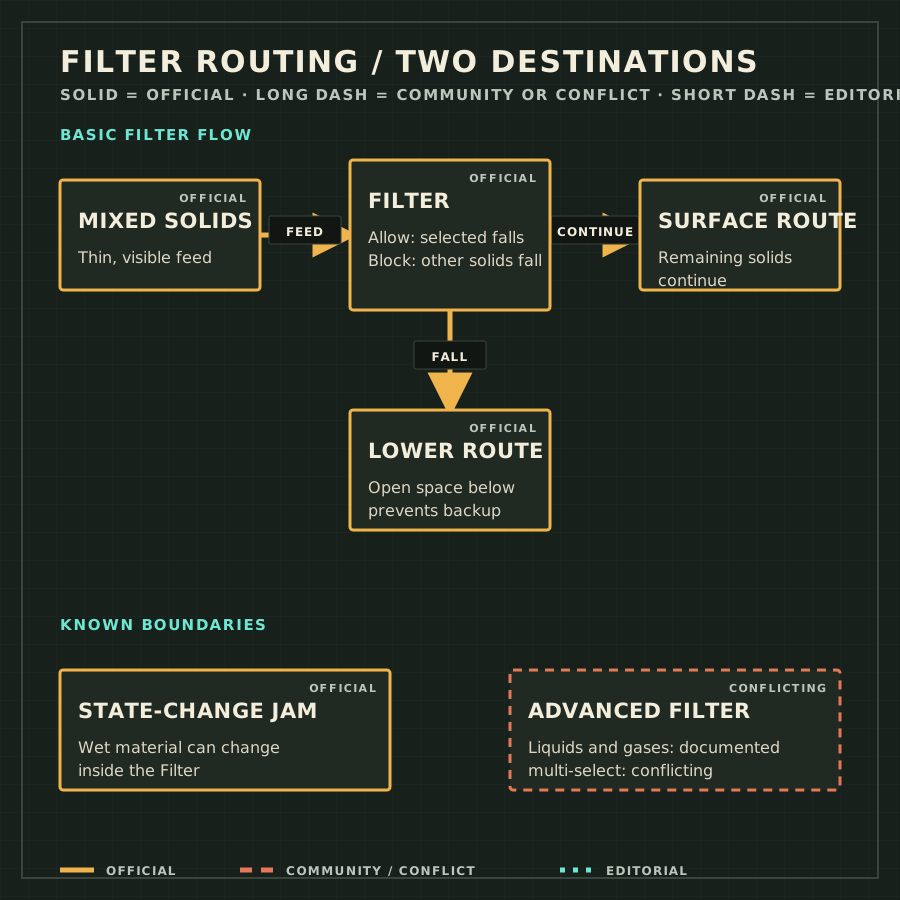
A Filter does two jobs at one position. Material that matches its pass-through rule falls vertically; material that does not match behaves as if it were on a normal Conveyor Belt. Many failures come from checking only the selected material and forgetting where the other stream goes. Build both destinations before opening the feed.
Basic Filter setup
- Name both outputs
Decide what should fall and what should continue. If either destination is unclear, stop before adding material.
- Open the lower exit
Leave clear space under the Filter and route the lower stream away. A solid block below turns the Filter into a trap.
- Choose the rule
Allow passes the selected solid. Block passes the other solids and keeps the selected one on the conveyor surface.
- Start with a thin feed
Release a shallow layer so the target can physically reach the Filter.
- Watch both branches
Confirm each stream reaches its planned destination and does not loop back.
- Increase feed gradually
Add capacity only after both branches remain clear under a deeper pile.
| Setting | Falls through | Continues | Practical use |
|---|---|---|---|
| Allow: Gold | Gold | Every other solid | A dedicated Gold drop toward a Collector. |
| Block: Residue | Every other solid | Residue | Keep Residue on the main surface while another stream drops. |
| Allow: Wet Sand | Wet Sand | Every other solid | Return Wet Sand toward Shakers. |
Density controls what reaches the Filter
A selected pixel cannot fall through if it never reaches the Filter. Dense material settles at the bottom of a mixed pile while lighter material rides above it. The official advice is to remove the densest target first. Gold is a useful early example: letting Gold fall at the first suitable Filter reduces the chance that it stays buried under Sand or Residue.
| Material | Basic Filter | Advanced Filter | Evidence |
|---|---|---|---|
| Solid | Allow or Block one selected solid | Supported | Official pages agree. |
| Liquid, including Water | Passes physically; selection does not target it | Supported | The Water page says Advanced Filters can affect Water. |
| Gas | Passes physically; selection does not target it | Supported | Research and Beginner’s Guide include gas. |
| Several selected types | Not supported | Conflicting | Two official pages disagree. |
| Symptom | Likely cause | Check or fix |
|---|---|---|
| Selected material stays above | A denser layer is below it or the pile is deep. | Pause, thin the pile, and filter the densest target earlier. |
| Nothing falls through | The lower exit is blocked or the rule is reversed. | Inspect below, then reread Allow or Block. |
| The line stops after Water arrives | Material changed state inside the Filter. | Remove trapped pixels and move the reaction away. |
| Water ignores the basic setting | A basic Filter does not target liquid. | Use containment or a documented Advanced Filter setting. |
| Material escapes beside a vertical line | Placement orientation or side geometry is wrong. | Open Wall Mode and check the preview. |
Update record
- 2026-08-21 — Replaced the brief with setup steps, density guidance, matter-type boundaries, and a symptom table.
- 2026-08-21 — Corrected the Wall Mode source and labelled Advanced Filter multi-selection as conflicting.
Frequently asked questions
Should I use Allow or Block for Gold?
Use Allow Gold when Gold should fall into a dedicated route and all other solids should continue. Use Block only when Gold should remain on the surface and the other solids should drop.
Why does an allowed material stay on top?
It may be above a denser layer, the pile may be too deep, or the exit below may be blocked. Thin the feed, filter the densest target earlier, and inspect the lower cell.
Can one Advanced Filter select several materials?
The current official Wiki is internally inconsistent. Research says multiple element types, while the Beginner’s Guide retains a single-resource rule. Treat the current in-game control as decisive and avoid a critical dependency on unconfirmed multi-selection.